
Mejoras al Parameter Tracker
¿Qué hay de nuevo?
Agregué un ícono de configuración en la esquina superior derecha de la pantalla de parámetros para que puedas personalizar tu experiencia.
- Activar/desactivar mostrar todos los gráficos al mismo tiempo
- Activar/desactivar mostrar las líneas recomendadas
- Activar/desactivar mostrar ‘Add Note’
- Activar/desactivar mostrar ‘Add Dosing’
- Editar los valores recomendados de los parámetros
- Cambiar el orden de los parámetros
Aprecio mucho a quienes se han unido a #DeepDive realmente me ayuda a crecer esta app. Si todavía no lo has hecho, checa #DeepDive y todas las funciones increíbles que tiene para ofrecer.
Comenta abajo cualquier otra mejora de la app que te gustaría que hiciera 👇
Parameter Tracker Improvements
What’s New?
I’ve added a settings icon top right on the parameter screen so you can customize your experience.
- Toggle showing all graphs at once
- Toggle showing recommended lines
- Toggle showing ‘Add Note’
- Toggle showing ‘Add Dosing’
- Edit recommended values for parameters
- Change parameter order
I appreciate those who have joined #DeepDive it really helps me grow this app. If you haven’t yet, check out #DeepDive and all of the awesome features it has to offer!
Comment below any other app improvements you would like me to make 👇
Comentarios
Inicia sesión para dejar un comentario
Todavía no hay comentarios
Sé el primero en iniciar la conversación.

 @arrik
1y
@arrik
1y
hola vi tu post en reddit y me gusta mucho lo que se ve y la utilidad de esta app hasta ahora. Yo había creado un acceso directo para capturar datos en una hoja de cálculo. mi retro sobre cómo entrar parámetros es 1) no pruebo ciertos parámetros cada vez y no pude ver cómo quitarlos si no se prueban, pero si se dejan en blanco prefiero que se salten, en vez de que salga 0 en los resultados. 2) veo el toggle de grueso y fino, pero igual puede ser mucho estar haciendo scroll con el dedo/ruedita, ¿sería útil también una opción de teclado numérico?
hi I saw your post on reddit and really like the look of utility of this app so far. I had created a shortcut to enter data into a spreadsheet. my feedback on entering parameters are 1) i don’t test certain parameters every time and I couldn’t see how to remove them if not tested, but if left blank i’d rather it be skipped than show 0 in the results. 2) I see the coarse and fine toggle but it can still be a lot of wheel scrolling, would a number pad option be useful as well?
@billy
1y
Cuando le das click a un parámetro, puedes presionar ‘clear’ si no quieres que introduzcas un 0. Tener una opción para entrada por teclado es una muy buena idea. ¡Voy a ponerme a trabajar en eso!
When clicking on a parameter you can hit ‘clear’ if you don’t want a 0 you inputted. Having an option for Keyboard input is a very good idea. I will work on that!
@arrik
1y
Sí le di clear, pero igual registra 0 en vez de dejarlo en blanco.
I did hit clear but it still records 0 instead of leaving it blank.
@billy
1y
Intenta ‘clear’ y luego el botón verde ‘save’ en la esquina superior derecha
Try ‘clear’ and then green ‘save’ button top right
@arrik
1y
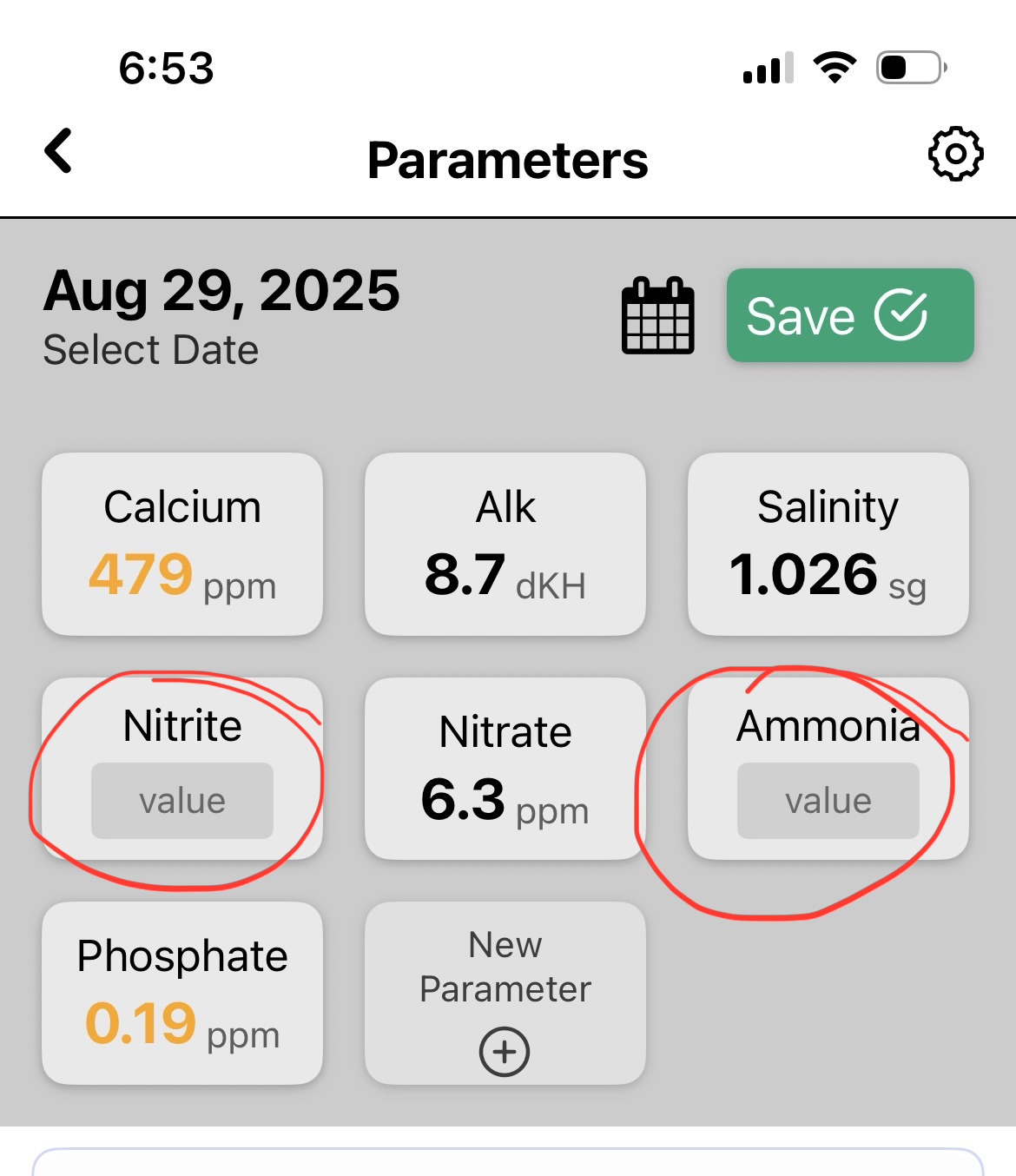
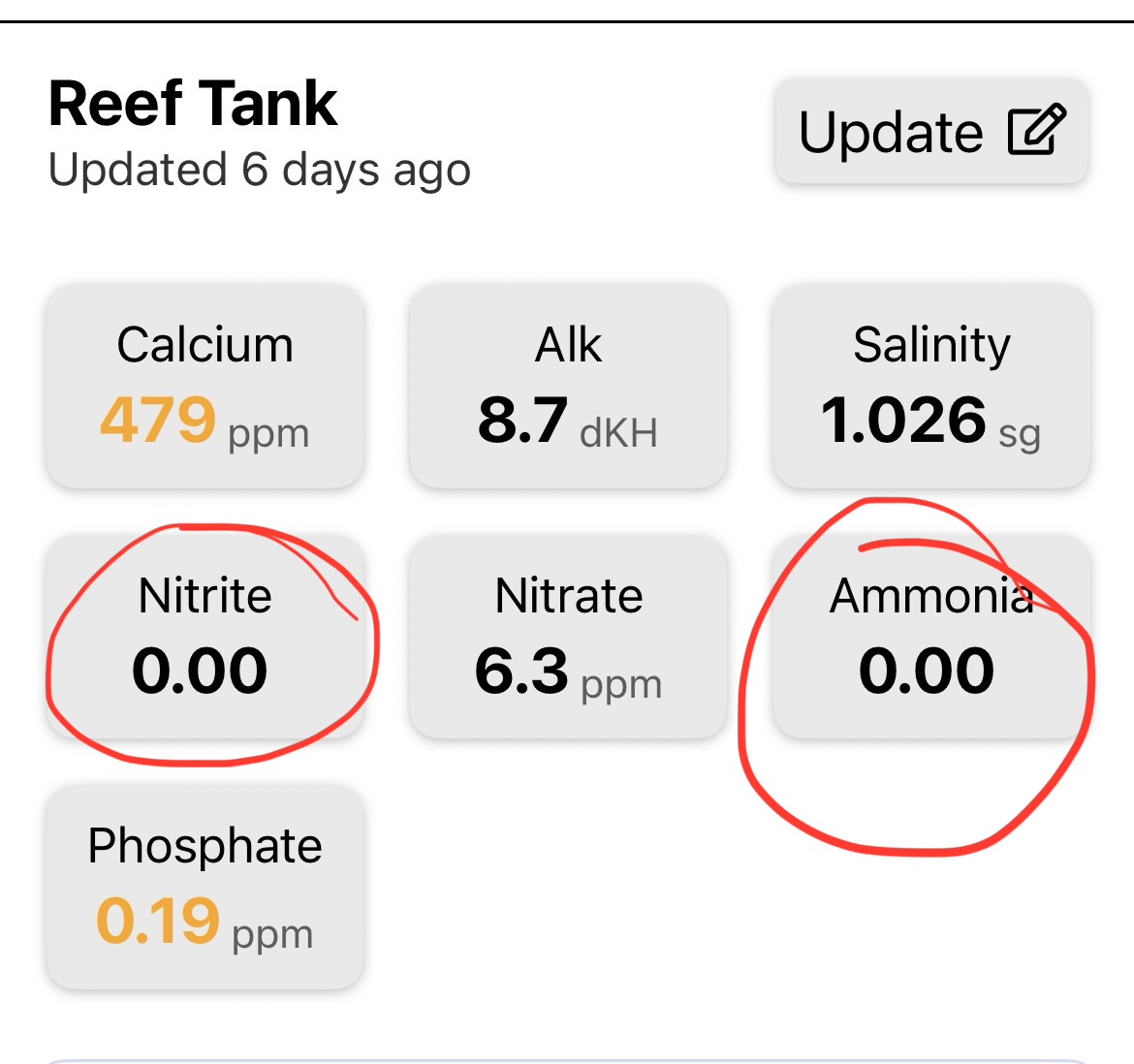
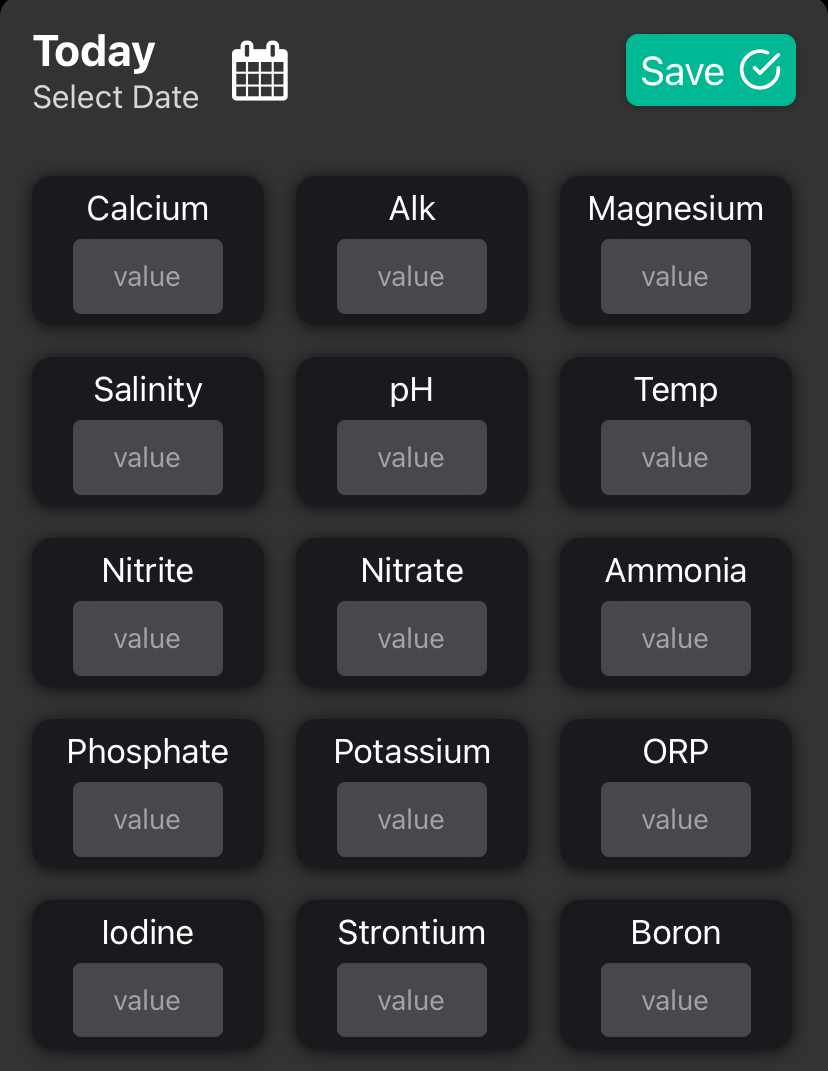
La verdad sí aprecio tus respuestas. aquí está lo que veo cuando dejo los parámetros en blanco antes y después (abajo) de guardar.
I do appreciate your replies. here is what I see when leaving the parameters blank before and after (below) saving.
@arrik
1y
 @billy
1y
@billy
1y
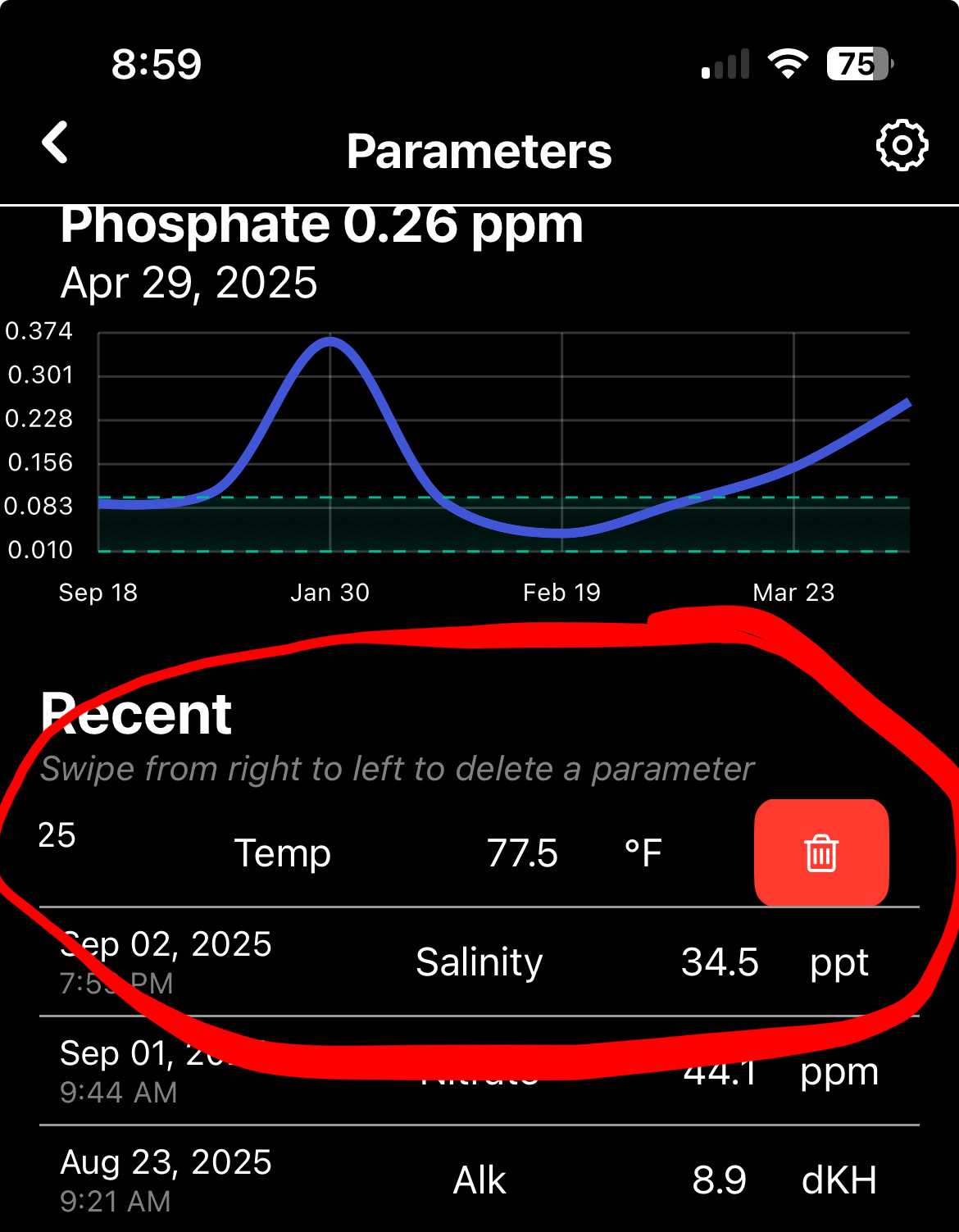
Seguro que pusiste Nitrite y Ammonia en 0 en una fecha anterior. Puedes bajar hasta el final de los parámetros y encontrar la tabla. Puedes deslizar a la derecha para borrar un parámetro en la tabla.
You must have set Nitrite and Ammonia to 0 on a previous date. You can scroll to the bottom of parameters and find the table. You can swipe right to delete a parameter on the table.
Inicia sesión para unirte a la conversación.

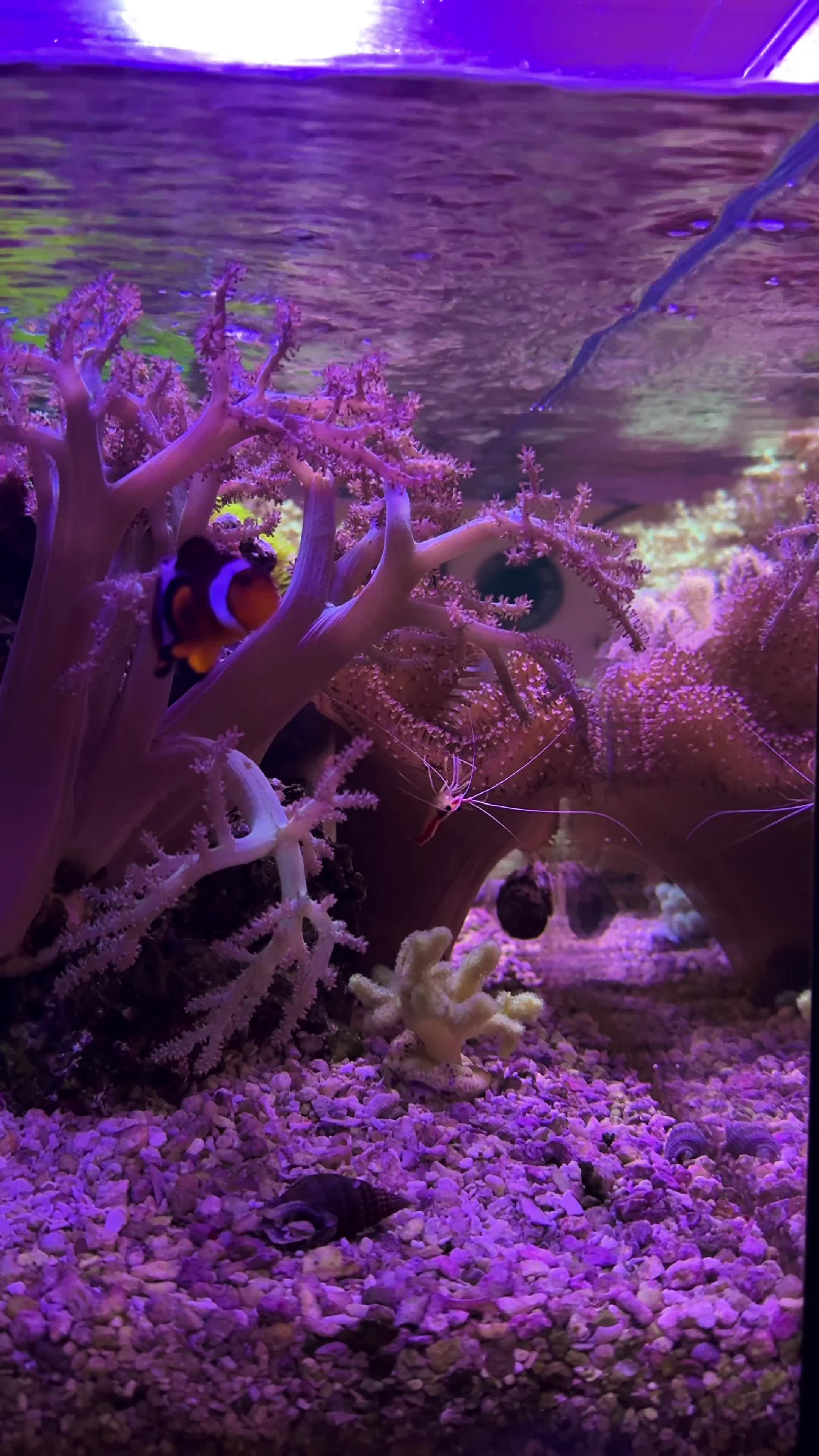


Está buenísimo. Gracias por todo tu trabajo duro.
Awesome sauce. Thanks for all your hard work!