
パラメータトラッカーの改善
何が新しい?
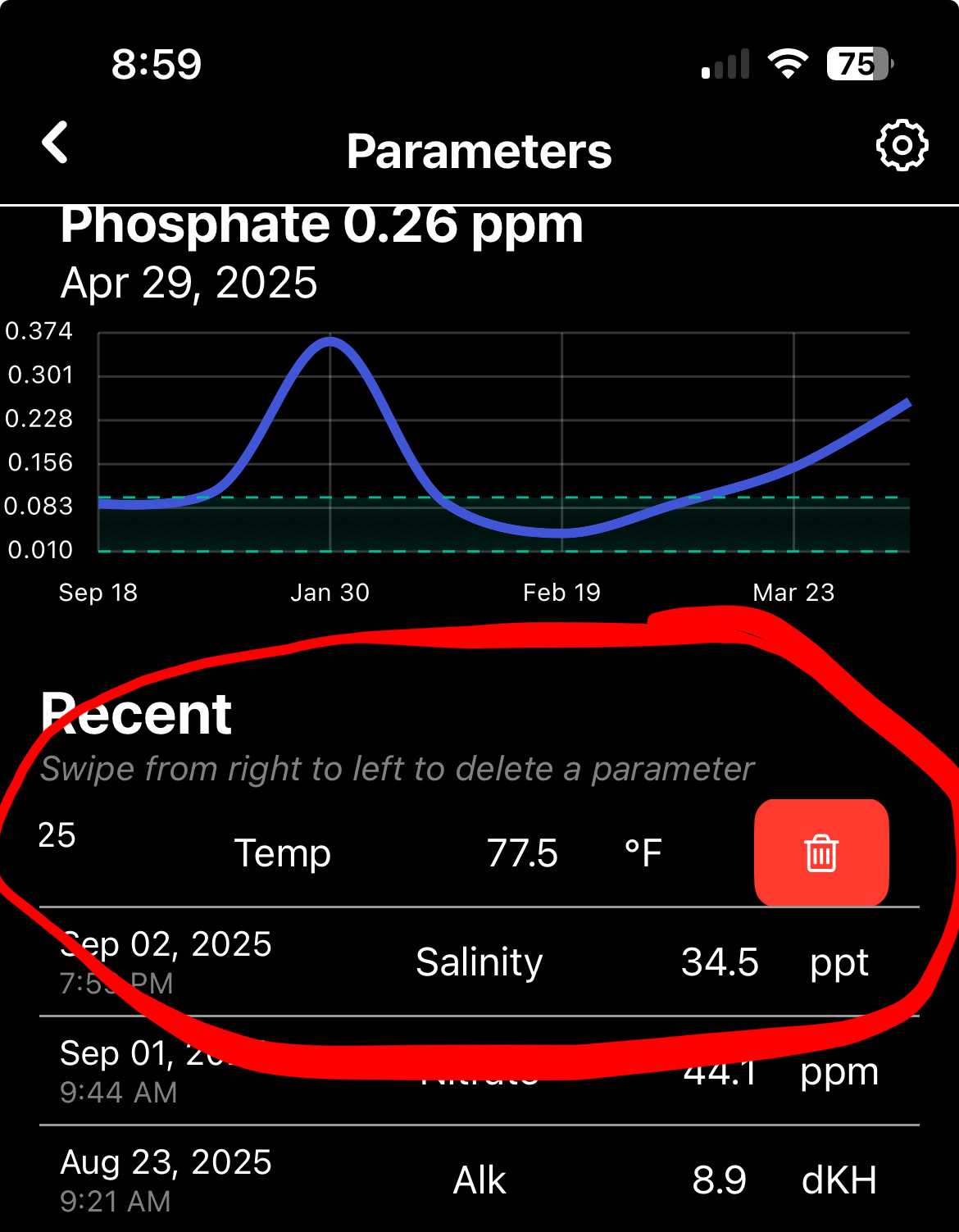
パラメータ画面の右上に設定アイコンを追加したので、好みに合わせて使えるようになりました。
- すべてのグラフを一度に表示する切り替え
- 推奨ラインを表示する切り替え
- 「メモを追加」を表示する切り替え
- 「点滴(Dosing)を追加」を表示する切り替え
- パラメータの推奨値を編集
- パラメータの並び順を変更
#DeepDive に参加してくれた方には本当に感謝してます、アプリを成長させるのにすごく役立ってます。まだの人は、#DeepDive をチェックして、用意されてる素晴らしい機能をぜひ見てみて!
他にも入れてほしいアプリの改善があれば、下にコメントしてね👇
Parameter Tracker Improvements
What’s New?
I’ve added a settings icon top right on the parameter screen so you can customize your experience.
- Toggle showing all graphs at once
- Toggle showing recommended lines
- Toggle showing ‘Add Note’
- Toggle showing ‘Add Dosing’
- Edit recommended values for parameters
- Change parameter order
I appreciate those who have joined #DeepDive it really helps me grow this app. If you haven’t yet, check out #DeepDive and all of the awesome features it has to offer!
Comment below any other app improvements you would like me to make 👇
コメント
ログインしてコメントする
コメントはまだありません
最初のコメントを書いてみましょう。

 @arrik
1y
@arrik
1y
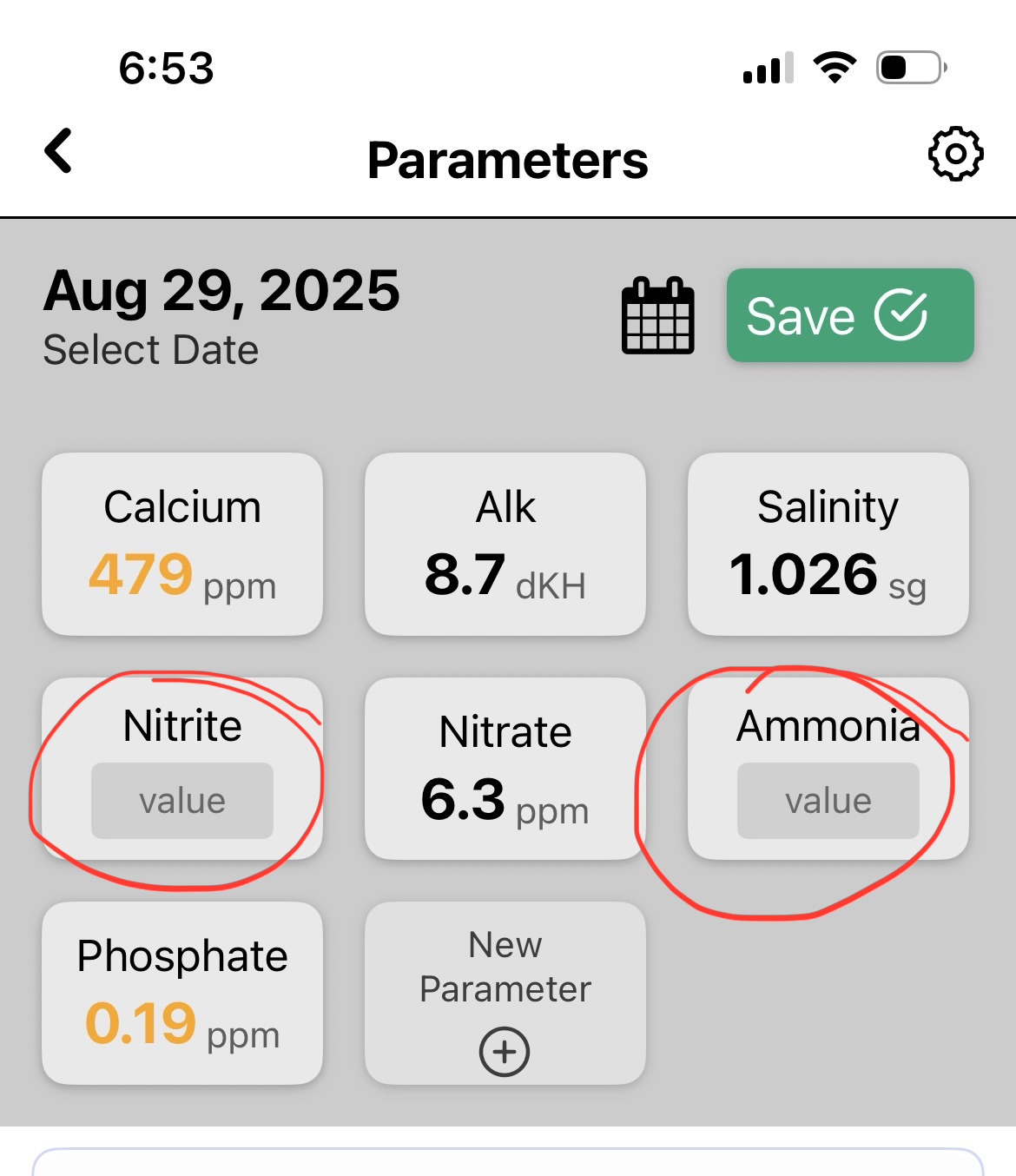
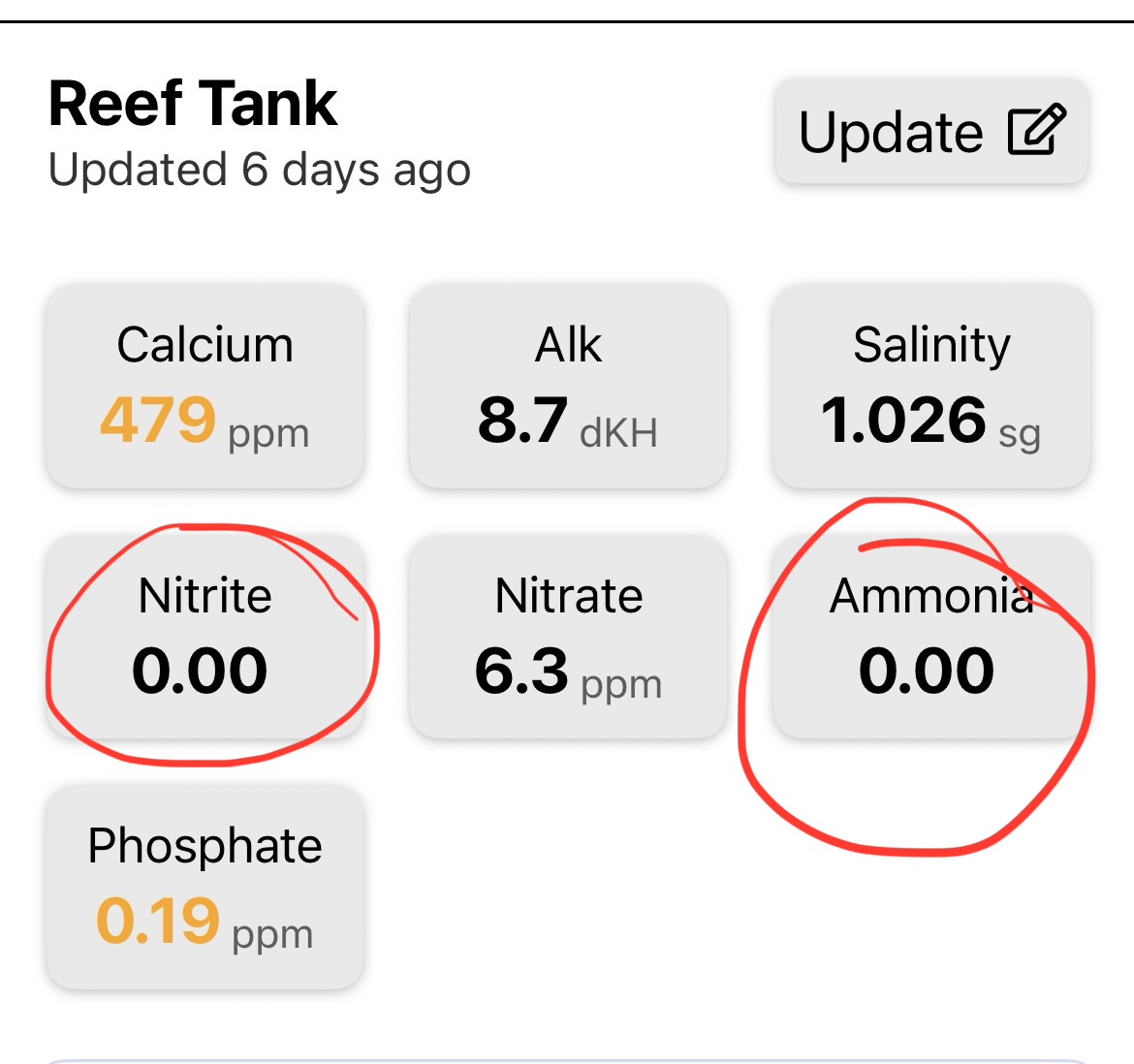
やあ、これはほんとに超役に立つ! redditで君の投稿見て、今のこのアプリの「ユーティリティ」な感じがすごく良いと思ったよ。スプレッドシートにデータを入れるショートカット作ってた。パラメータ入力についてのフィードバックは1)毎回いくつかのパラメータをテストしてないから、テストしない場合にどうやって消すのか分からない。空欄にしたら、結果に0って出るよりスキップされる方がいい。2)粗い/細かい切り替えは見えるけど、ホイールでスクロールし続けるのが結構大変。テンキーみたいなオプションもあったら便利かな?
hi I saw your post on reddit and really like the look of utility of this app so far. I had created a shortcut to enter data into a spreadsheet. my feedback on entering parameters are 1) i don’t test certain parameters every time and I couldn’t see how to remove them if not tested, but if left blank i’d rather it be skipped than show 0 in the results. 2) I see the coarse and fine toggle but it can still be a lot of wheel scrolling, would a number pad option be useful as well?
@billy
1y
パラメータをクリックしたときに、0を入れたくなければ「クリア」って押せるよ。 キーボード入力のオプションはめっちゃいいアイデアだと思う。ちょっと対応してみる!
When clicking on a parameter you can hit ‘clear’ if you don’t want a 0 you inputted. Having an option for Keyboard input is a very good idea. I will work on that!
@arrik
1y
「クリア」は押したけど、それでも空欄にせず0が記録されちゃう。
I did hit clear but it still records 0 instead of leaving it blank.
ログインして会話に参加しましょう。






最高だね!がんばってくれてありがとう!
Awesome sauce. Thanks for all your hard work!